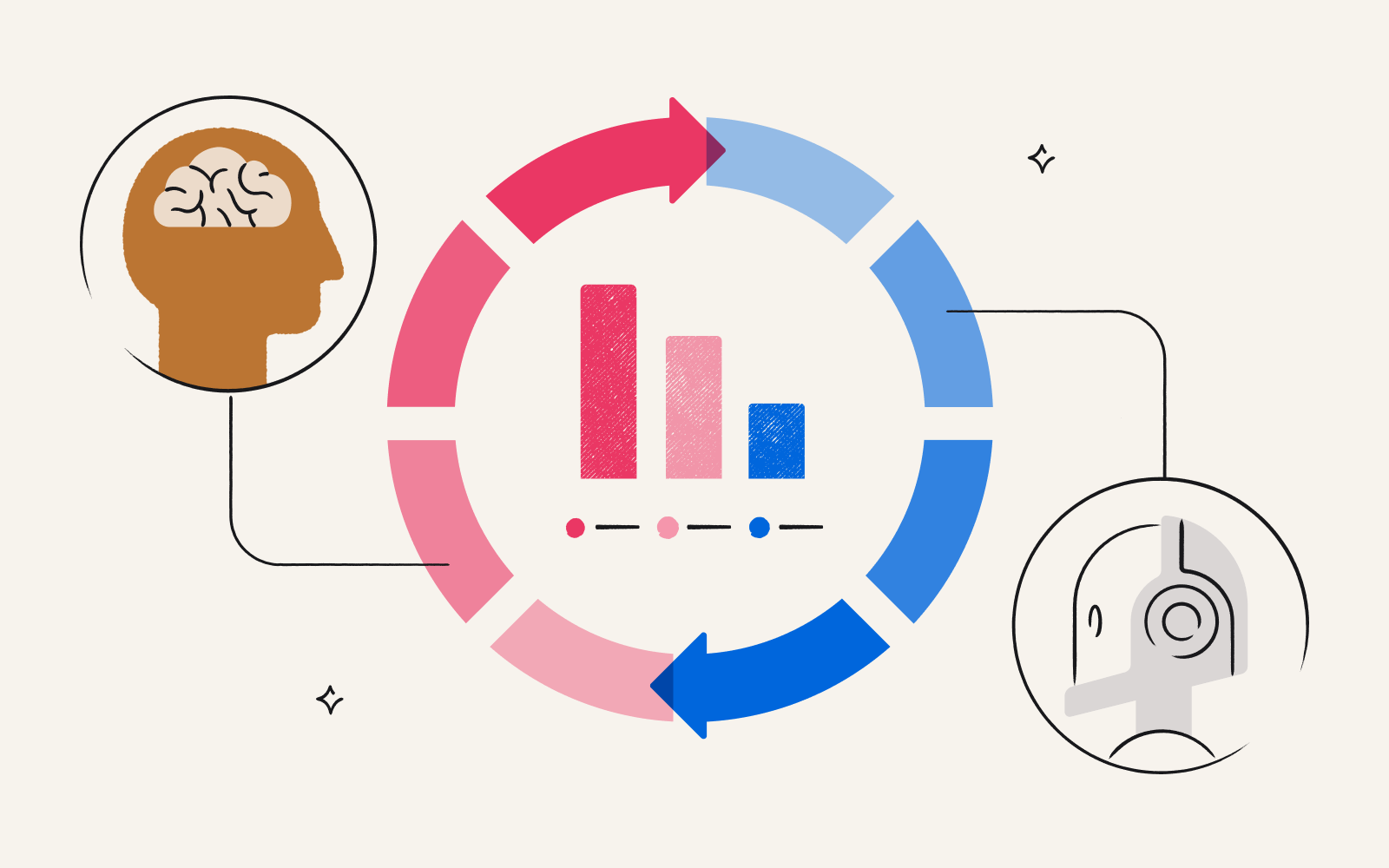
UX research tools provide the technical infrastructure to help teams understand how users think, behave, and interact with their products. They support methods such as usability testing, user interviews, surveys, behavioral analytics, and research synthesis, helping teams ground design and product decisions in the user experience and back them up with real evidence.
Hundreds of platforms compete for space in your research stack, and many are organized around fundamentally different functions. No single tool does everything well. Choosing a combination that matches your methods, your team size, and your budget is harder than most product websites let on.
We grouped these 21 tools by research method and function rather than ranking them against each other, because the right tool depends on what you're trying to learn about your users. Most teams combine three to five tools across categories. If you're looking for a quick reference, check out the full comparison table at the end.
How to choose a UX research tool
When evaluating options, look for tools that meet your needs across four areas:
Research method compatibility: Does the tool support the specific methods you use or only a subset?
Team size and collaboration: Can multiple researchers access, tag, and share findings? Does it support role-based permissions?
Budget and pricing model: Subscription, pay-as-you-go, and free tiers all affect cost differently. Don't overlook the cost of participant incentives, which should be considered a necessary recruitment cost.
Integrations: Does it connect with your design tools (Figma, Adobe XD), communication platforms (Slack or Teams), project management tools (Jira, Notion), and incentive delivery platforms that automate reward distribution to participants (Tremendous)?
All-in-one platforms combine multiple capabilities in one interface and are generally easier to manage, particularly for smaller teams. Specialized standalone tools go deeper on a single function, like Optimal Workshop for information architecture or Tremendous for incentive delivery. Most teams use a mix of both. Start with your research questions and methods, then select tools that support them.
What are common usability testing tools?
Usability testing involves observing real users as they interact with prototypes or live products to identify friction points and validate design decisions before launch. Before choosing a tool, decide whether you need moderated sessions, unmoderated sessions, or both. Moderated sessions are researcher-led and live, yielding richer qualitative insight; unmoderated tasks are self-guided, faster to run, and cheaper at scale. Most teams end up doing a bit of both.
Usability testing also covers information architecture and navigation validation — methods that answer a deceptively simple question: can your users find what they're looking for?
UserTesting
UserTesting is a video-first enterprise usability platform with a large built-in participant panel, robust audience targeting, and a full workflow for running, analyzing, and sharing remote sessions. It's a strong choice when you need fast results from a specific audience and don't want to manage recruitment separately.
Pricing: There’s no free trial or tier. UserTesting doesn’t publish its prices, but Vendr data shows an average contract value of around $40,000 annually.
Best for: Enterprise teams running high-volume, targeted remote usability studies, particularly when speed to insight is critical.
UXtweak
UXtweak covers moderated and unmoderated usability testing, card sorting, tree testing, session recording, and surveys in a single subscription. It has more breadth per dollar than most of its competitors.
Pricing: The free tier caps out at a low 15 responses per month. Paid plans start at $92/month.
Best for: Teams that want wide method coverage without managing three or four separate tool subscriptions.
Maze
Maze is built specifically for prototype testing (particularly with Figma prototypes) and is optimized for speed: short setup, access to a global user panel, and results in hours. Unlike tools that support a broad range of methods, Maze goes deep on the design validation loop, making it easy to test, learn, and iterate quickly.
Pricing: The free plan available includes one active monthly study and five seats. Average contract value is around $27,000 annually.
Best for: Product designers and researchers who need to iterate and validate during an active design cycle.
Lyssna
Lyssna is an unmoderated research platform covering surveys, interviews, recruitment, preference testing, concept testing, and desirability testing. It's one of the more versatile options at this price point for teams exploring multiple design directions simultaneously.
Pricing: Free tier includes 3 seats and 15 self-recruited responses, perfect for a quick prototype check. Anything more, and you’ll want a paid plan starting at $165/month.
Best for: Teams running short unmoderated tests or preference studies, especially those exploring multiple design directions quickly.
Optimal Workshop
Optimal Workshop is the most established platform for information architecture research, covering card sorting, tree testing, first-click testing, and qualitative research. It doesn't include interview or survey features, but its recruitment tools can help you find participants.
Pricing: The free 7-day trial tier has unlimited studies, but you’ll soon need to upgrade to a paid plan starting at $199/month.
Best for: UX researchers validating information architecture, navigation structures, and content taxonomy before significant redesign work.
Userbrain
Userbrain is a lightweight remote usability testing platform built for teams that need a simple, repeatable testing cadence without committing to a full enterprise subscription. Unlike most tools that lock panel access behind a paid plan, Userbrain lets free users tap into its pool of 170,000-plus participants on a pay-per-session basis, making it one of the more accessible entry points for teams without an existing user pool.
Pricing: The free plan includes three test setups per month. Paid plans start at $99/month.
Best for: Small teams or solo researchers who want regular access to a real participant panel without a subscription upgrade.
Qualitative research and user interview tools
Qualitative research explores the "why" behind user behavior through in-depth methods like interviews and diary studies. It complements usability data by surfacing the motivations, mental models, and emotional context that metrics alone can't capture.
Many teams simply use a general conferencing tool like Zoom for the session itself while a purpose-built research tool handles recording, transcription, and synthesis. But tools designed specifically for research add tagging, highlight reels, and annotation features that general-purpose video platforms don't offer.
Great Question
Great Question is an all-in-one research platform covering participant recruitment, moderated and unmoderated interviews, surveys, prototype testing, card sorting, and AI-powered synthesis in a single workflow. It integrates directly with Tremendous for incentive delivery, making it one of the few platforms that handles the full research lifecycle without requiring separate tools for recruitment, testing, and analysis.
Pricing: A 14-day free trial is available with no credit card required. Self-serve plans start at $1,290/seat/year when billed annually. Enterprise pricing is custom based on team size and module selection.
Best for: Research ops teams and product organizations that want to consolidate their research stack into a single platform without sacrificing method depth.
Dscout
While Dscout also has usability testing features, it’s the strongest qualitative platform for diary studies and longitudinal research — methods that capture how user experience and behavior evolve over weeks or months rather than in a single session. Its mobile-first design makes it effective for in-the-moment data collection from participants in natural contexts.
Pricing: There’s no free tier or trial. Dscout doesn’t publish pricing, but contracts average about $44,500 annually.
Best for: Research teams running diary studies, longitudinal experience research, or mobile-context studies.
Grain
While marketed as an AI notetaker for meetings, Grain converts interview recordings into clips, searchable transcripts, and annotated notes, adding a synthesis layer on top of whatever conferencing tool you already use. It's not a full repository, but it significantly reduces the time between a recorded interview and a shareable highlight reel.
Pricing: The free tier includes a 45-minute limit. Paid plans start at $15/month (billed annually).
Best for: Research teams that want fast synthesis and easy sharing without committing to a full repository platform.
Lookback
Lookback is a dedicated platform for moderated user interviews and live observation sessions. Researchers conduct sessions directly in the tool while observers watch in real time through a separate stream without disrupting the participant. It records, transcribes, and lets teams tag moments during or after sessions for faster synthesis.
Pricing: The free trial is available; paid plans start at $25/month.
Best for: Research teams running live moderated interviews who need built-in observation, recording, and synthesis in one place.
UX survey and feedback tools
UX survey tools collect structured user input at scale, either through standalone questionnaires distributed via email or link, or through in-product contextual prompts triggered by scroll depth, time on page, exit intent, or user segment. In-product tools capture feedback at the moment of friction; general survey builders are better for post-session questionnaires or broader research questions. Many programs use both.
Qualaroo
Qualaroo is designed for in-product feedback gathered at the moment a user encounters friction — participants answer prompts immediately instead of recalling their experience through the filter of hindsight.
Pricing: The free trial includes up to 50 responses; paid plans start at $19.99 per month (billed annually).
Best for: Product and UX teams that want contextual feedback at the specific moment an experience breaks down.
SurveyMonkey
SurveyMonkey is the leading general-purpose survey builder, optimized for email and link distribution. It's less specialized than in-product tools but more flexible for research that happens outside the product itself.
Pricing: The free tier includes unlimited surveys but limits you to 25 responses each. Paid plans start at $39 per month for individuals and $30 per month for teams (minimum three users).
Best for: Teams distributing external surveys, post-session questionnaires, or recruitment screeners.
Typeform
Typeform uses AI to create surveys and adapt the participant experience in real time, adding follow-up questions as responses come in — blurring the line between surveys and interviews.
Pricing: The free tier is limited to 10 responses per month, and paid plans start at $28 per month (billed annually).
Best for: Teams looking to boost survey engagement or surface unexpected insights without the resources for full user interviews.
Participant recruitment and incentive tools
Finding qualified participants is difficult. Compensating them quickly, compliantly, and globally is equally critical, and often the part that breaks research programs at scale.
Research teams that pay participants slowly, inflexibly, or with reward options that don't work in their region are more likely to get lower-quality data. Participants disengage, no-show rates rise, and word spreads in panel communities about which studies are worth completing. Incentives directly affect response rates, data quality, and participant satisfaction — and the administrative burden of distributing rewards internationally is a common pain point for research operations teams.
It's worth understanding the distinction between the two tool types in this category: recruitment platforms source, screen, and schedule participants, while incentive platforms handle reward delivery, compliance, and participant choice. Most teams need both and the two functions are often conflated when they actually require different tools.
User Interviews
User Interviews is a full-service recruitment platform owned by User Testing that covers panel access, screening, scheduling, and study management, plus a pool of four million participants across consumer and professional audiences. Or, its Research Hub can help you build and manage your own panel and democratize research throughout your organization.
Pricing: There’s no free recruiting, but a free trial of Hub may be available through the sales team. Plans start at $36 per session ($49 for pay-as-you-go).
Best for: Enterprise companies that want to power organization-wide user research.
Respondent
Respondent focuses on verified B2B and professional consumer participants: audiences that are harder to reach through general panels. Its verification processes make it particularly effective for studies requiring participants with specific job functions, industries, or professional contexts. And it’s one of the few tools that combine recruitment and incentives (via Tremendous payments).
Pricing: There’s no free trial or tier. Pay-as-you-go costs $40 per study, or you can save $6 per session and buy a bundle of 63.
Best for: B2B companies recruiting professionals with specific job functions.
Prolific
Prolific has built a reputation for participant quality and data integrity, and it now specializes in helping companies train AIs with real human input. Its pool is pre-screened, its participants are attentive, and its community guidelines create a culture of taking research seriously. For studies where data reliability matters as much as panel size, Prolific is often the stronger choice over faster, cheaper alternatives.
Pricing: You can start creating surveys for free, but you’ll have to pay once you begin recruiting. Pricing for managed services isn’t public, but the pricing calculator estimates Pay-as-you-go costs.
Best for: Research teams prioritizing sample quality and participant attentiveness or those building AI tools.
Tremendous
Tremendous is an incentive delivery platform that handles reward distribution to research participants globally, across more than 230 countries and regions. It supports gift cards, prepaid Visa cards, PayPal transfers, bank transfers, and charitable donations, and it integrates directly with recruitment platforms and research workflows to automate the payout process.
Pricing: Free to use for up to $200,000 of incentives. For higher amounts, you get free access to the platform and you may qualify for volume discounts, dedicated customer support, 1:1 onboarding and more — talk to the sales team.
Best for: Teams managing participant incentives at scale, particularly global programs with compliance and operational bottleneck challenges.


Behavioral analytics and heatmap tools
Behavioral analytics tools passively observe how users interact with live products at scale without moderation. These tools complement active research methods by showing what users actually do, not just what they say they do.
Heatmap tools aggregate behavior across many users, revealing click patterns, scroll depth, and hover zones, while session recording tools replay individual user journeys in real time. Most platforms in this category offer both.
Hotjar (Contentsquare)
Hotjar is now part of Contentsquare but operates as a separate product for now. It combines heatmaps, session recordings, and lightweight in-product feedback widgets in a single tool, and its pricing tiers scale with session volume, making it accessible for teams at different scales.
Pricing: The free tier gives you one project and 200,000 monthly sessions. Paid plans start at $39/month.
Best for: Product and UX teams that want heatmaps, recordings, and feedback capabilities in one approachable, affordable tool.
Fullstory
Fullstory is an enterprise-grade product analytics and session replay platform that goes well beyond heatmaps. It has error tracking, funnel analysis, a survey tool, and cross-session user journey data designed for engineering and product teams with complex, large-scale products.
Pricing: FullstoryFree gives you 30,000 monthly sessions and 12 months of data retention. The company doesn’t publish enterprise pricing, but average contract value is $27,500 annually.
Best for: Enterprise product and engineering teams that need deep product analytics and comprehensive session replay.
Research repository and synthesis tools
A research repository is a centralized system for storing, tagging, and surfacing research findings across an organization. Without one, insights accumulate in individual documents, personal drives, and Notion pages, accessible only to the researcher who ran the study. Mature research operations teams treat the repository as infrastructure: when findings from six months ago are searchable and taggable, new research builds on past work rather than repeating it.
Dovetail
Dovetail is the leading dedicated research repository and analysis platform, with strong tagging, cross-study search, highlight reel creation, and AI-assisted synthesis. It also pulls in data from customer calls and support tickets, making it useful beyond just storing study outputs.
Pricing: The free version gives you one project and one channel of data to analyze. Pricing for other plans isn’t published, but contracts average $21,500 annually.
Best for: Research operations teams that need a scalable repository that combines research data with customer and service data.
Condens
Condens is an intuitive repository option with core tagging, analysis, and sharing capabilities. It's a practical choice for teams that want structured synthesis without the operational complexity or price tag of an enterprise platform.
Pricing: The free trial runs for 15 days. Paid plans start at $15 per user per month.
Best for: Research teams that need a clean, affordable repository without unnecessary complexity.
A note on AI tools for UX research
AI is most useful in UX research as an accelerant for analysis — transcribing sessions, summarizing themes, and surfacing patterns across large data sets. It's not a replacement for research judgment. Before purchasing a standalone AI tool, check what's already built into the platforms you use: Dovetail, Qualaroo, Maze, and UXtweak all include embedded AI features that many teams haven't fully activated.
If you do need more, three standalone options worth knowing: tl;dv records and transcribes interviews in Zoom, Meet, or Teams and generates AI-assisted summaries (free tier available; paid plans from $18/month). Marvin is an AI research assistant built specifically for qualitative UX workflows, with tagging and pattern recognition designed around interview data (free tier available; contracts average $36,000 annually). Conveo is an AI-native platform with an AI agent that conducts and analyzes interviews in real time — newer, but worth watching for teams that want to explore where the category is heading (you can choose from two plans).
Build your UX research toolkit
There's no universal toolkit. The right combination depends on your research goals, team size, budget, and the methods you use most frequently. Most teams combine three to five tools across categories rather than relying on a single platform.
Start with your research questions and methods, then select tools that support them. A typical starter stack covers five functions: one usability testing tool, one survey tool, one video conferencing or interview tool, one recruitment source, and one incentive delivery platform. Here are two example stacks:
For a lean startup team:
UXtweak (usability testing + card sorting)
Typeform (surveys)
Zoom + Grain (interviews + synthesis)
User Interviews (recruitment)
Tremendous (incentive delivery)
For an enterprise research operations team:
UserTesting (video-first usability testing)
Qualaroo (in-product surveys)
Dscout (diary studies)
User Interviews + Respondent (recruitment)
Dovetail (research repository)
Tremendous (global incentive delivery at scale)
Participant recruitment and incentive delivery often determine study success more than the testing tool itself. Streamlined reward distribution improves response rates, reduces no-shows, and creates a better experience for participants, which reflects directly on your research program's reputation and data quality.
Compare all 21 UX research tools by category and price
| Tool | Category | Free tier | Starting price | Best for |
|---|---|---|---|---|
| UserTesting | Usability testing | No | ~$40K/year | Enterprise remote usability studies |
| UXtweak | Usability testing | Yes | $92/month | Wide method coverage in one subscription |
| Maze | Usability testing | Yes | ~$27K/year | Fast prototype validation |
| Lyssna | Usability testing | Yes | $165/month | Short unmoderated tests and preference studies |
| Optimal Workshop | Usability testing | Yes | $199/month | IA, card sorting, and tree testing |
| Userbrain | Usability testing | Yes | $99/month | Small teams wanting panel access without a subscription upgrade |
| Great Question | Qualitative research | Yes | $129/seat/month | Full research lifecycle in one platform |
| Dscout | Qualitative research | No | ~$44.5K/year | Diary studies and longitudinal mobile research |
| Grain | Qualitative research | Yes | $15/month | Fast interview synthesis and clip sharing |
| Lookback | Qualitative research | Yes | $25/month | Live moderated interviews with built-in observation |
| Qualaroo | Surveys & feedback | Yes | $20/month | In-product contextual feedback |
| SurveyMonkey | Surveys & feedback | Yes | $39/month | External surveys and post-session questionnaires |
| Typeform | Surveys & feedback | Yes | $28/month | Boosting survey engagement |
| User Interviews | Recruitment | Yes | $36/session | Enterprise-wide research programs |
| Respondent | Recruitment & incentives | No | $40/study | Verified B2B participant recruitment |
| Prolific | Recruitment | No | Use pricing calculator | Sample quality and AI training studies |
| Tremendous | Incentive delivery | Yes | No platform fees | Global participant incentive delivery at scale |
| Hotjar | Behavioral analytics | Yes | $39/month | Heatmaps, recordings, and feedback in one tool |
| FullStory | Behavioral analytics | No | ~$27.5K/year | Enterprise product analytics and session replay |
| Dovetail | Repository & synthesis | Yes | ~$21.5K/year | Scalable repository combining research and service data |
| Condens | Repository & synthesis | Yes | $15/user/month | Lightweight repository for smaller teams |